How to Reset a Microwave
Most microwave glitches clear up with a quick reset that takes under two minutes.
Microwaves are reliable appliances, but every now and then the display freezes, a button stops responding, or the clock just keeps blinking after a power outage. Before you call for service or assume the worst, try a reset. In almost every case, cutting the power for a short time clears whatever error state the microwave is stuck in. Here is exactly how to do it, plus what to try when a basic power cycle is not enough.
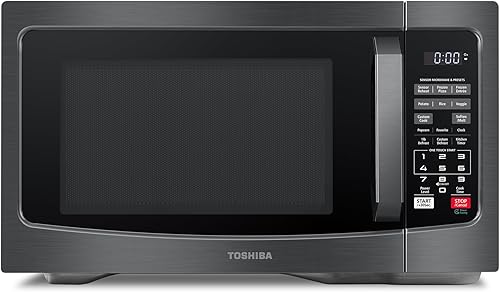


The Universal Reset: Unplug for 60 Seconds
The fastest fix for almost any microwave problem is a hard power reset. Unplug the unit from the wall outlet, wait a full 60 seconds, then plug it back in. That 60-second wait is important because the internal capacitors need time to fully discharge before the control board clears its memory. Once you restore power, the clock will flash and you can reprogram it. Most error codes, frozen displays, and unresponsive keypads disappear completely after this step.
How to Reset a Microwave via the Circuit Breaker
If your microwave is built into a cabinet or the outlet is hard to reach, use the circuit breaker instead. Locate the breaker labeled for your kitchen or microwave circuit in your electrical panel, flip it off, and count to 60. Then flip it back on. The effect is identical to unplugging the unit. This method also works for over-the-range microwaves that are wired directly into the wall rather than plugged into a standard outlet.
How to Unlock a Child Lock or Control Lock
If the keypad is completely unresponsive but the display is on and shows a lock icon, the child lock feature is active rather than a malfunction. Most brands release the lock by holding the Cancel or Stop button for three to five seconds. On some Panasonic and Toshiba models you press and hold Start or a dedicated Lock button for the same duration. Check your model's label on the inside of the door frame for a quick hint, or look up your model number online. Once unlocked, the icon clears and all buttons work normally again.
Resetting the Clock After a Power Outage
A blinking colon or a display reading 0:00 simply means the microwave lost track of time during an outage. Press the Clock button (sometimes labeled Time), enter the current time using the number pad, then press Clock or Start again to confirm. If your model does not have a dedicated Clock button, check whether Time of Day or Cook Time serves that function. The microwave does not need to be reset in any other way after a power outage unless you also notice an error code.
Clearing a Specific Error Code
Some microwaves display alphanumeric error codes like F3, SE, or E11 when a sensor or component reports a fault. Try pressing Cancel or Stop first to dismiss the code, then unplug for 60 seconds and restore power. If the same error code returns immediately, the reset worked but the underlying fault is still present. At that point you will need to note the exact code and look it up in your owner's manual or the manufacturer's support site, since persistent codes often point to a door switch, thermal fuse, or sensor that needs service.
When a Reset Does Not Fix the Problem
A reset solves software glitches, not hardware failures. If the microwave powers on but does not heat anything after a successful reset, the magnetron, diode, or high-voltage capacitor may have failed. If buttons still do not respond after unlocking the child lock and power-cycling the unit, the touchpad membrane itself could be damaged. In either case, repair costs on older units often approach the price of a replacement, so it is worth comparing service quotes against current models before committing.
Tips to Avoid Needing a Reset in the Future
Using a surge protector with your microwave can prevent control board scrambles during voltage spikes and power outages. Avoid running the microwave empty, since without food to absorb energy the magnetron overheats and the thermal cutout trips, which can look like a total shutdown. Keep the door seal clean so the door latches fully every time. A door that does not close properly stresses the door switches and can cause nuisance faults that require repeated resets.
Frequently asked questions
How long do I need to unplug my microwave to reset it?
Sixty seconds is the standard recommendation. That gives the capacitors on the control board enough time to drain so the unit fully clears its memory. Shorter waits of 10 to 15 seconds sometimes work, but a full minute is more reliable.
My microwave shows SE or a similar error. Will a reset fix it?
Press Cancel first to try clearing the code, then unplug for 60 seconds and restore power. If the same code appears again right away, the reset revealed that a component is genuinely faulty. Check your owner's manual for the specific code definition, as SE on Samsung models, for example, typically indicates a stuck button on the control panel.
The display is completely dark after a power outage. How do I reset it?
Confirm the outlet has power by plugging in another small appliance. If the outlet is live, unplug the microwave, wait 60 seconds, and plug it back in. If the display is still dark after that, the internal thermal fuse may have blown and the unit will need a service call.
Can I reset a microwave by pressing a button combination?
Most consumer microwaves do not have a dedicated factory-reset button sequence the way routers or smart speakers do. Pressing and holding Cancel for several seconds on some models will clear the current program, but a full electronic reset requires cutting power at the outlet or breaker.
After resetting my microwave it still does not heat. What should I check?
First confirm the door is closing and latching completely, since the safety interlock switches stop all heating if the latch does not engage. If the door is fine, the problem is likely a failed magnetron, diode, or high-voltage capacitor. These components carry dangerous charge even when unplugged and should only be inspected by a qualified appliance technician.